
Login web application
Access tohttps://sagc2c.c-cubeservices.com/primascx.
If the user is already logged into the Web Notifier, they will be automatically logged into the web application with the same account. If not, user logs in web application with the agent role to use the agent dashboard.
Agent-Queue Dashboard
Purpose: See Queue Info, Agent Info, and FreedomQ Summary.
How to open:
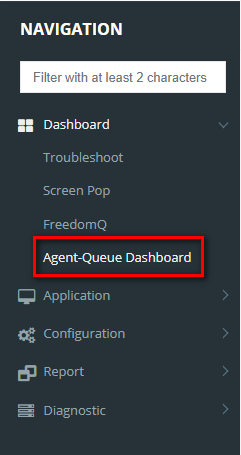
- Navigation: Dashboard > Agent-Queue Dashboard.
Detail:
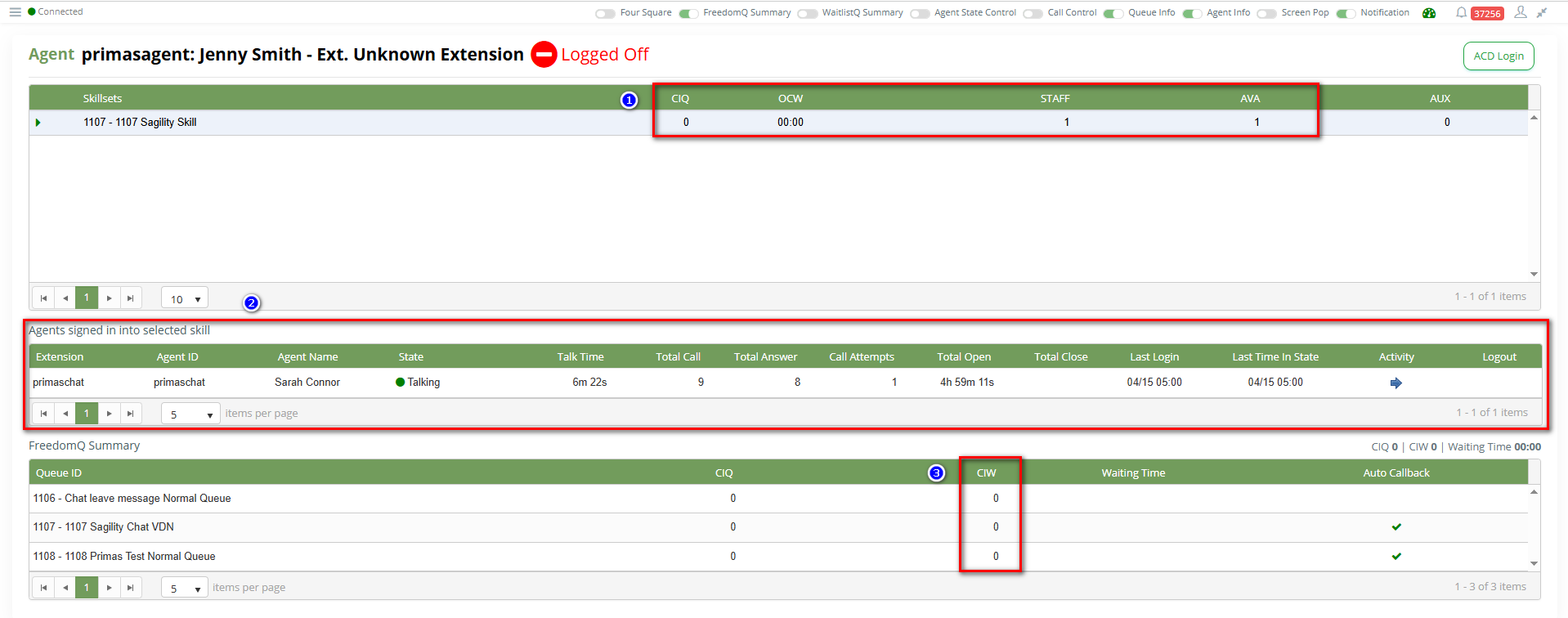
- Queue Info:
- CIQ: Number of chats waiting in Queue.
- OCW: Longest chat waiting time.
- STAFF: Number of Agents logged in Queue.
- AVA: Number of Agents available in Queue.
- Agent Info: See which agents are logged into the queue.
- FreedomQ Summary: See the number of leave messages.
FreedomQ Dashboard
Purpose: Used to view tokens, include message, Phone Number that user left when no agent available.
How to open:
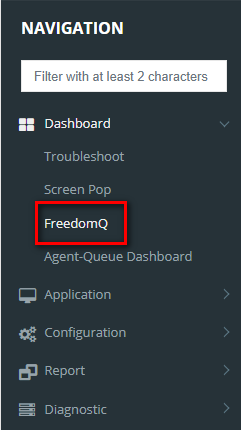
- Navigation: Dashboard > FreedomQ.
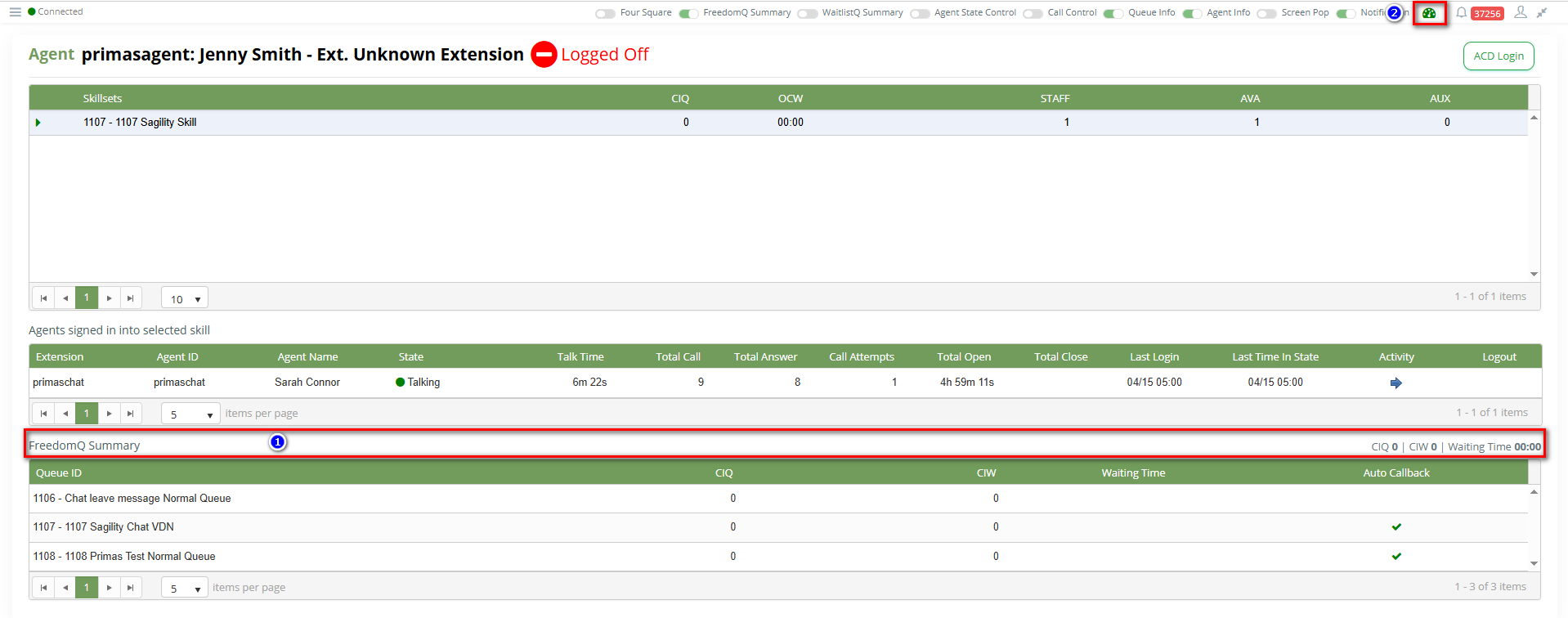
- From Agent-Queue Dashboard: Click title FreedomQ Summary (1) or icon (2) to open FreedomQ Dashboard.
Detail:
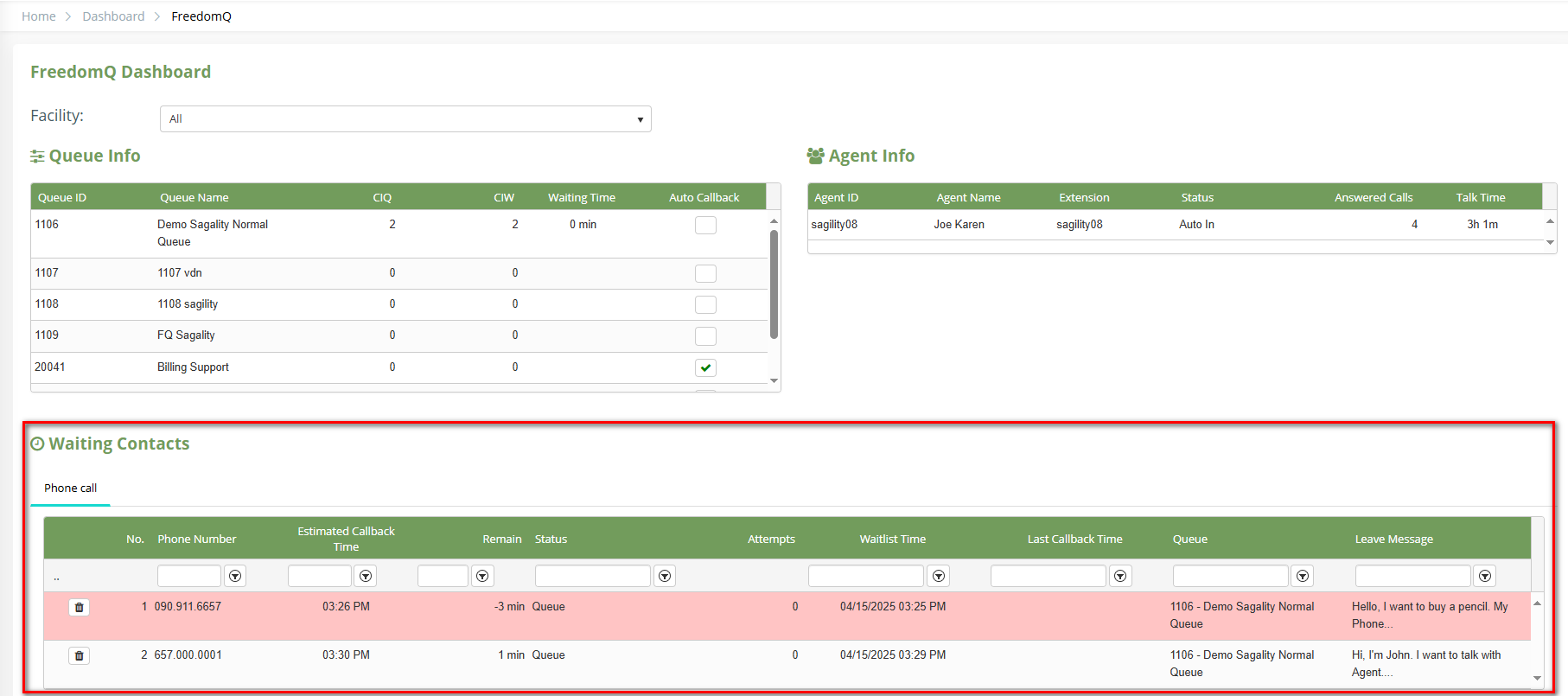
View Contact Message Report
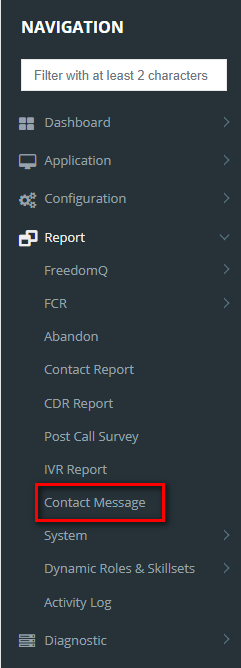
How to open:
- Navigation: Report > Contact Message.
Types of reports: