
Access predial manager portal: Predial - PredialPlan with manager user ddo@primas.net, Password: A@z200711
Primas Center - Key:
Welcome to Primas Medine.
Thank you. Please hold while we transfer you to a representative
Primas Medicare - Voice: Predial plan uses voice
IVR prompts for demo - run on call flow Predial-Demo of lab 6.33
When the user complete Training and Estimation process, the data will be synchronized to campaign management.
Agent and Queue are added on call flow https://callflow002.primas.cx/ and synchronized to Primascx Primas CX Web App :: Agent
The user can use any agent: 50001, 50002 or 50007 for demo. All of them belong to both of queues 10001 and 10002.
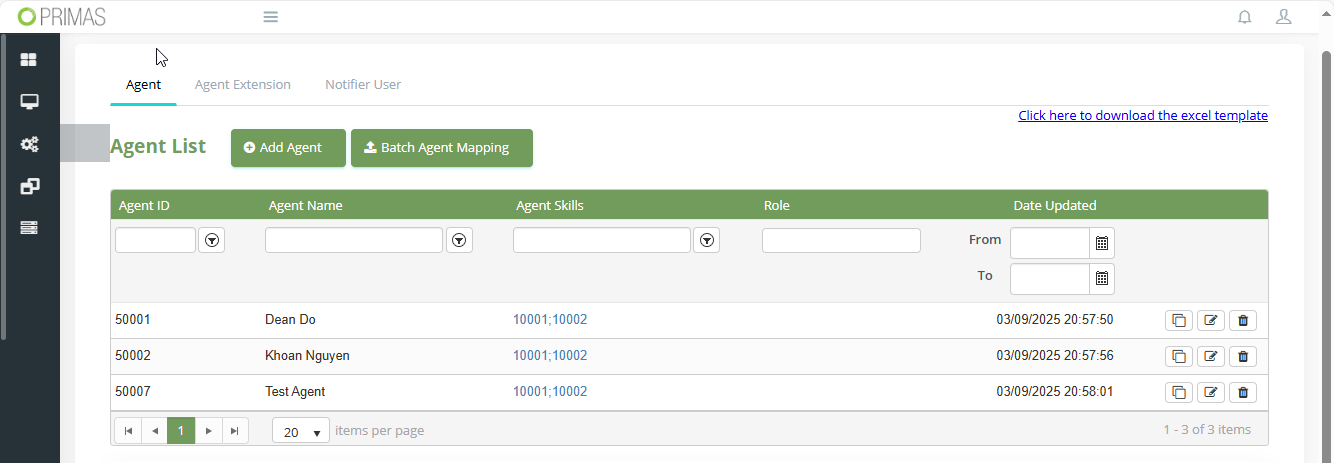
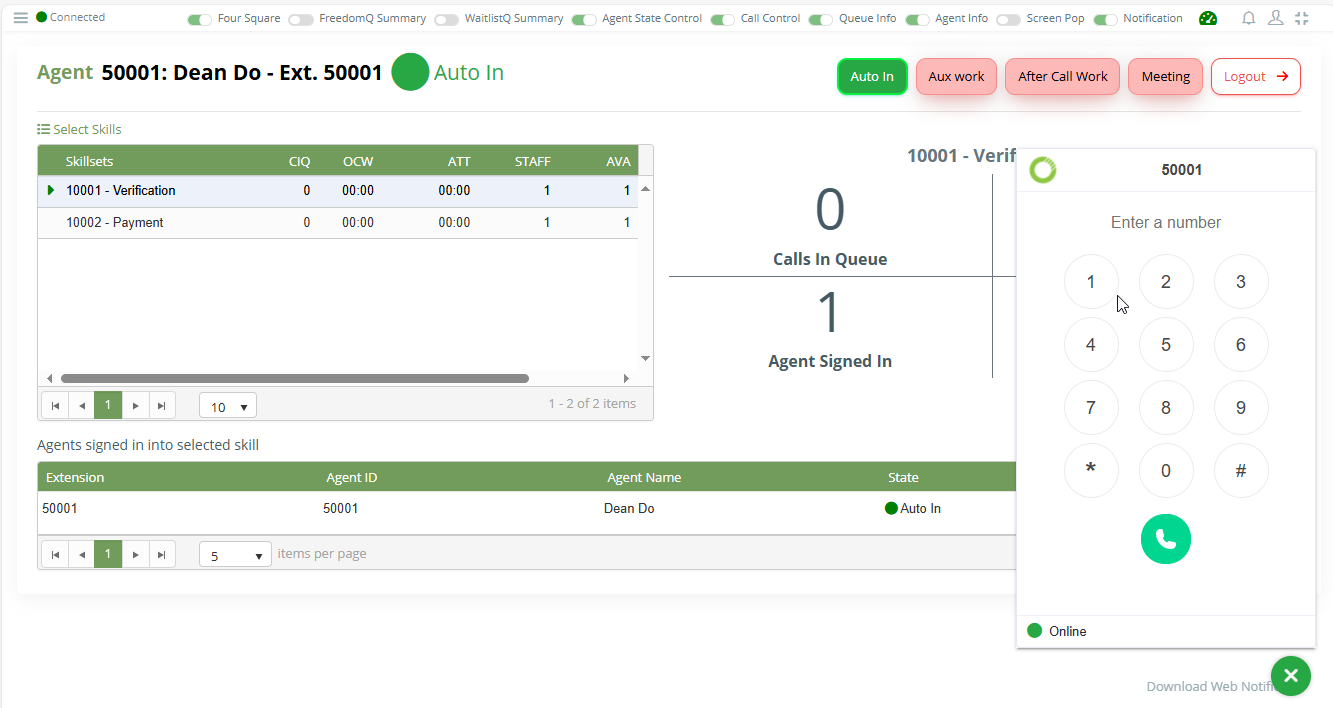
Agent should log in to agent dashboard to use Web phone, login to web notifier to receive predial pop up.
Login PrimasCX with role Administrator and go to Predial Campaign page.
Note: use another browser or private mode to manage campaign if we are logging in web notifier on the current browser.
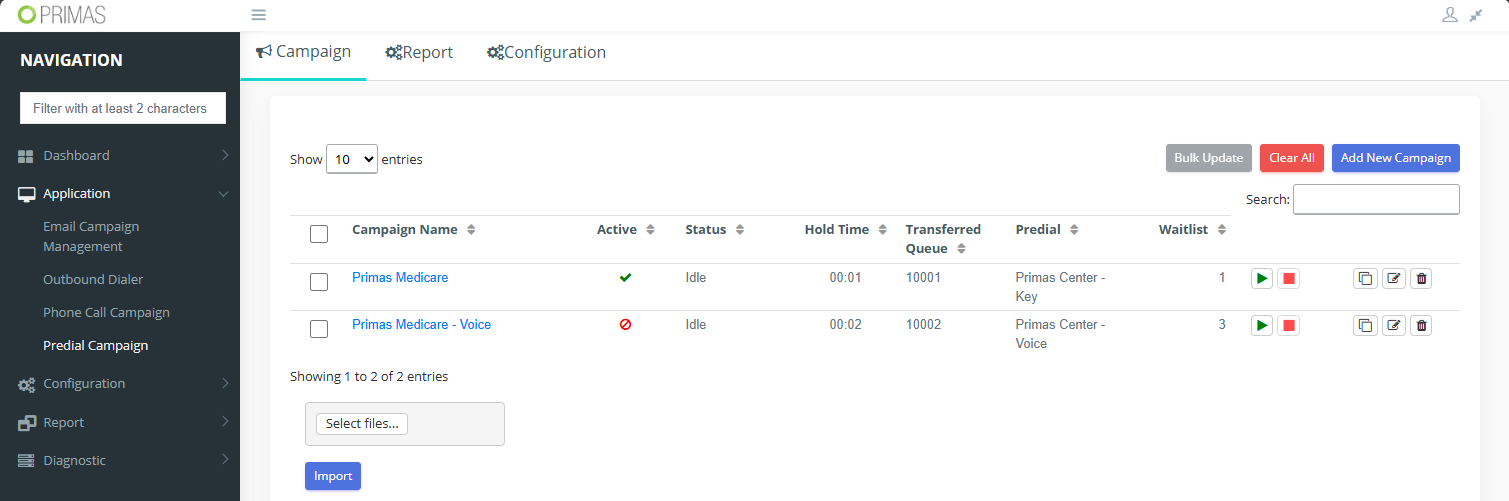
These campaigns have been configured with the predial plans. The admin user can force start campaign or go to waitlist to start a token which has been imported already for demo.
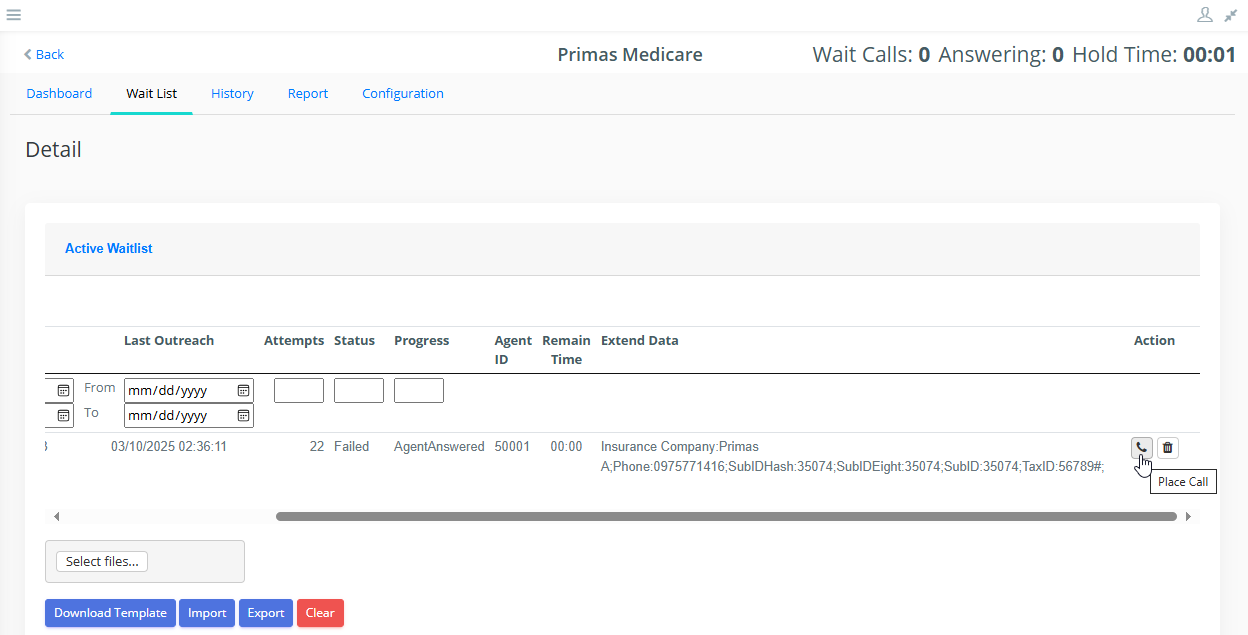
Make sure the agent has logged into ACD and web notifier then click "Place Call" button.
The data will be pushed to the predial manager for executing and connecting the call to the PrimasCX Agent-Queue.

Note: The web call could not be good at some first calls. After connection has been established, the sound should be good.